Side Imaging (SideVü) Sonar: Find Fish and Structure Faster
Side Imaging, also called SideVü, is one of the most powerful sonar tools for anglers. Unlike standard 2D sonar, which only shows what’s directly below your boat, Side Imaging scans wide areas to the left and right, revealing fish, structure, and underwater features that would otherwise be missed.
In this summary, you’ll learn:
How Side Imaging works and why it’s better than 2D in certain situations
How to interpret fish, structure, and vegetation
Optimal settings for beginner and advanced anglers
Tips to avoid common mistakes and maximize your catch
By mastering Side Imaging, you can find more fish faster, target specific areas, and make every trip on the water more productive.
SECTION: HOW SIDE IMAGING WORKS
Side Imaging sends a narrow sonar beam to the left and right of the boat, scanning large areas quickly. The sonar reflects off fish, structure, and bottom features, producing a detailed, photo-like image of what’s below and beside your boat.
Tips:
Fish appear as small arches or dark shapes above the bottom
Shadows behind objects indicate size and distance
Structures like rocks, logs, and drop-offs are easy to see in relation to fish
Link:
How to read sonar for basic sonar reading
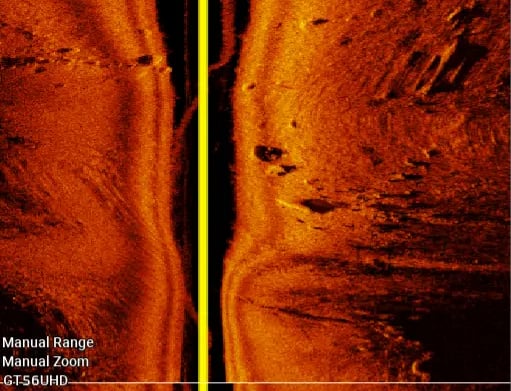
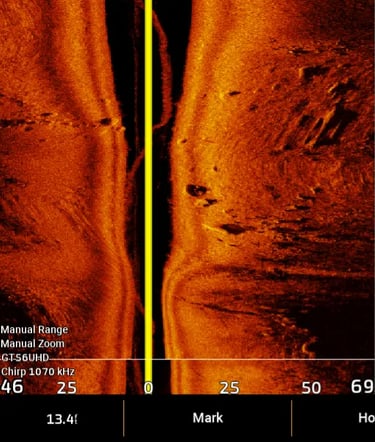
Side Imaging sonar showing fish above weed bed and rock structure
SECTION: IDENTIFYING FISH ON SIDE IMAGING
Fish can be tricky to spot if you’re new to Side Imaging. Look for:
Suspended fish: Small targets away from the bottom
Shadows: Every fish creates a shadow; larger shadows indicate bigger fish
Movement: Fish often move along edges of weeds, rocks, or drop-offs
Pro Tip: Combine Side Imaging with 2D CHIRP to confirm fish size and depth.
Link:
fish-vs-structure-sonar → for distinguishing fish from weeds
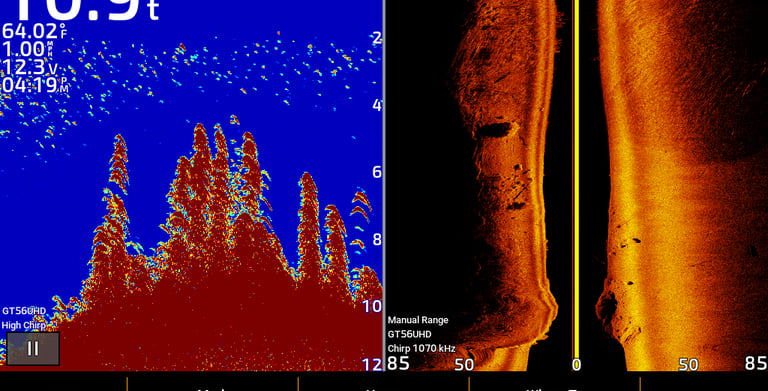
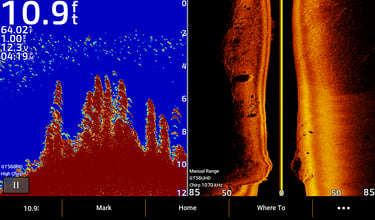
Suspended bass casting shadow on Side Imaging sonar
SECTION: READING STRUCTURE AND WEEDS
Side Imaging is perfect for locating underwater structure and vegetation:
Structure: Solid, defined shapes connected to the bottom. Look for edges, humps, or rocks where fish hide
Weeds / vegetation: Fuzzy, vertical or wall-like marks. Fish often suspend just outside weed edges
Tip: Fish usually hang just off structure or at the edge of weed beds. Shadows are key for depth estimation.
Side Imaging sonar showing rock structure and weed edge with bass
SECTION: SIDE IMAGING SETTINGS
Optimal Side Imaging settings help beginners and advanced anglers get clear, usable images:
Range: Start with 30–60 ft left and right. Adjust based on depth
Boat Speed: 3–5 mph for clear images
Contrast / Brightness: Moderate settings show fish and structure without clutter
Frequency: Standard 455 kHz for most lakes; higher frequency for detail in shallow water
Links:
Beginner sonar settings → beginner setup guide
SECTION: COMMON SIDE IMAGING MISTAKES
Avoid these beginner mistakes:
Too much range: Fish appear tiny, hard to see
Excessive contrast / gain: Cluttered screen
Too fast: Boat speed blurs images
Ignoring shadows: Shadows reveal size, distance, and fish location