2D / CHIRP Sonar: Master Your Fish Finder for Maximum Catch
2D and CHIRP sonar are the foundation of every fish finder. 2D sonar shows fish, bottom, and structure directly beneath your boat, while CHIRP sonar provides high-resolution images that improve fish detection and depth accuracy.
This guide will teach you:
How 2D and CHIRP sonar work
How to interpret fish arches and bottom returns
How to adjust settings for beginners and advanced anglers
Tips to avoid common sonar mistakes
By mastering 2D / CHIRP sonar, you can locate fish faster, interpret sonar images accurately, and increase your catch rate on every trip.
SECTION: HOW DOES 2D/CHIRP WORKS
2D sonar works by sending a single sonar beam directly below the boat. CHIRP sonar (Compressed High-Intensity Radar Pulse) sends multiple frequencies simultaneously, giving more detailed and accurate images.
Key points:
Fish appear as arches or small targets
Bottom structure is clearly defined
Depth and fish size are easier to estimate with CHIRP
Link:
How to read sonar → for a full beginner guide
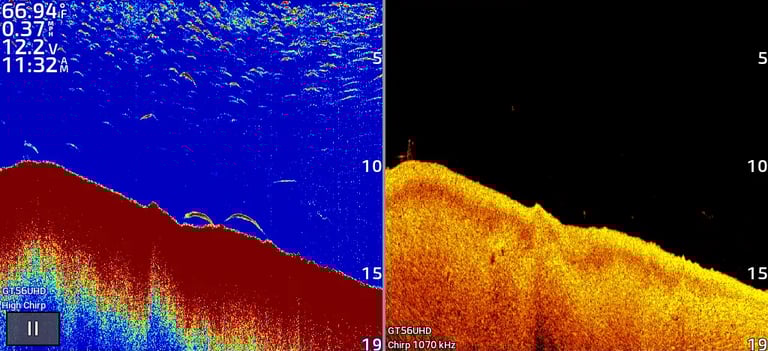
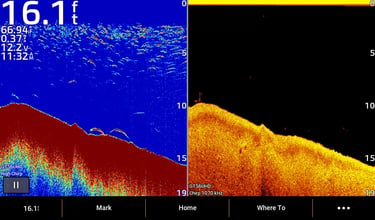
2D CHIRP sonar (left) showing clear fish arches and bottom structure. Down image (right)
SECTION: IDENTIFYING FISH ON 2D
Fish appear as arches or solid dots on 2D CHIRP.
The shape depends on boat speed:
slower speed = full arches, faster speed = compressed arches or dots.
Small dots → baitfish
Large arches/dots → predator fish
Pro Tip: Slow down over structure to get full arches.
Adjust sonar gain to avoid false positives.
Check multiple passes—real fish will appear consistently.
Mark high-probability fish zones for lure targeting.
Link:
Fish vs structure vs weeds → for distinguishing fish from weeds and structure
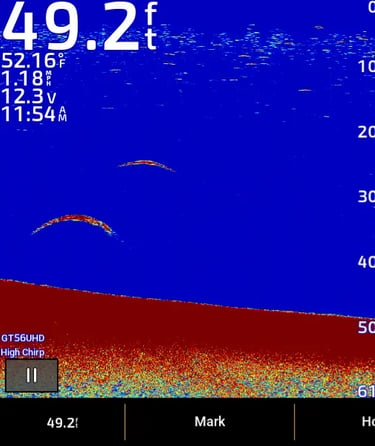
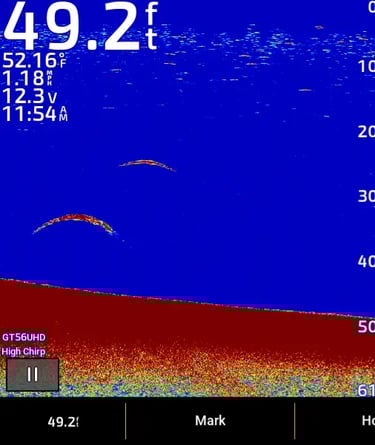
2D CHIRP sonar showing bottom.
SECTION: READING THE BOTTOM AND STRUCTURE
2D / CHIRP sonar helps identify bottom composition and structure:
Hard bottom: Strong, bright return on screen
Soft bottom: Faint or fuzzy return
Structure: Logs, rocks, drop-offs show as solid shapes
Tips:
Fish often hide near drop-offs, rocks, or ledges
Use CHIRP sonar to detect small details in structure that 2D may miss
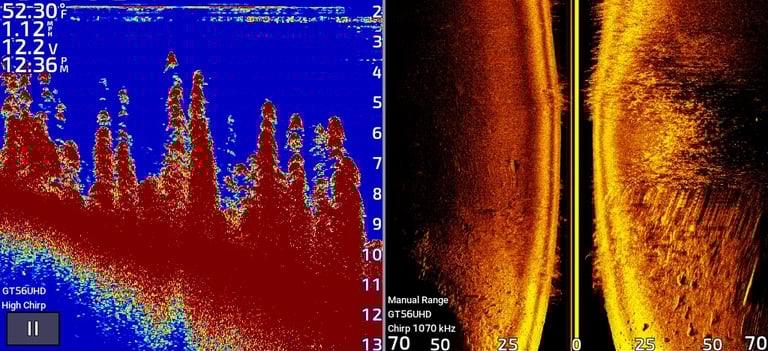
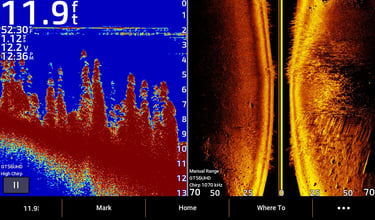
2D CHIRP sonar (left) showing bottom. Side image (right)
SECTION: BEGINNER SETTINGS
To get the most out of your 2D / CHIRP sonar:
Frequency: High (200 kHz) for shallow, Low (50 kHz) for deep water
Gain / Sensitivity: Moderate — enough to see fish but avoid clutter
Depth Range: Auto mode works for beginners
Speed: Maintain steady boat speed to avoid blurring
Link:
Beginner sonar settings → full beginner setup guide
SECTION: COMMON MISTAKES
Avoid these mistakes with 2D / CHIRP sonar:
Too high gain: Creates clutter, hard to distinguish fish
Wrong frequency: Misses fish in shallow or deep water
Ignoring bottom composition: Fish often suspend differently over hard vs soft bottom
Too fast: Distorted arches and blurry images