Side Imaging Sonar Images Explained for Beginners
Side imaging sonar lets you see what is happening to the left and right of your boat, not just directly below it. At first, the images can look confusing, but once you understand shadows, distance, and shapes, side imaging becomes much easier to read.
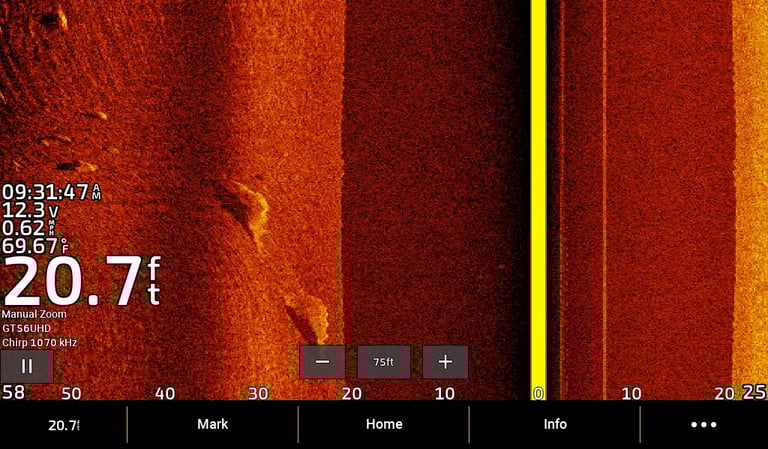
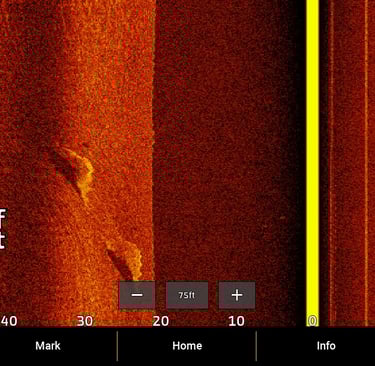
How Side Imaging Works
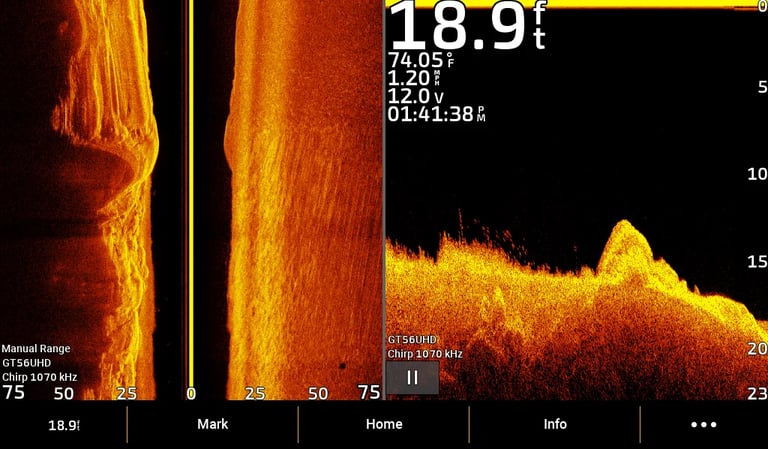
The transducer sends sonar signals out to both sides of the boat. The screen shows:
Left side of the screen = left side of the boat
Right side of the screen = right side of the boat
Center line = directly under the boat
The image scrolls from top to bottom as the boat moves forward.
Understanding Distance on Side Imaging
Distance is shown horizontally.
Objects close to the boat appear near the center
Objects farther away appear toward the edges
Distance markers show how far objects are from the boat
Sonar Shadows Explained
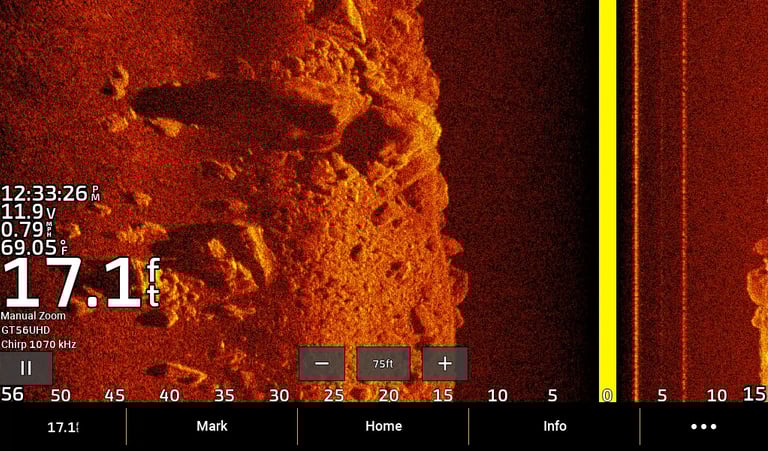
Shadows are one of the most important parts of side imaging.
A shadow is a dark area behind an object
Shadows form because the sonar signal is blocked
Longer shadows = taller objects
Fish often appear as bright dots with a shadow behind them. The shadow helps confirm it is a fish, not just debris.
Recognizing Object Shapes
Side imaging shows shape, not depth.
Common shapes:
Fish → small bright dots with shadows
Rocks → bright, solid shapes with short shadows
Logs / trees → long shapes with long shadows
Weeds → fuzzy or uneven bright areas
Objects look brighter when they reflect more sonar.
Why Boat Speed Matters
If the boat moves:
Too fast = images look stretched
Too slow = images look compressed
A steady speed gives the clearest side imaging pictures.
Final Tip for Beginners
Always look for both the object and its shadow. Learning to read shadows is the fastest way to understand side imaging sonar.
With practice, side imaging becomes one of the most powerful tools for finding fish and structure.